Its own mixer
units that mix in hardware take each deck on its own outputs, and their EQ, faders and cue do the work

Controllers
Listn DJ recognises the controller by name and names it back to you in the top bar. Transport, jog wheels, tempo, EQ, pads, loops, effects, lights and level meters are mapped.
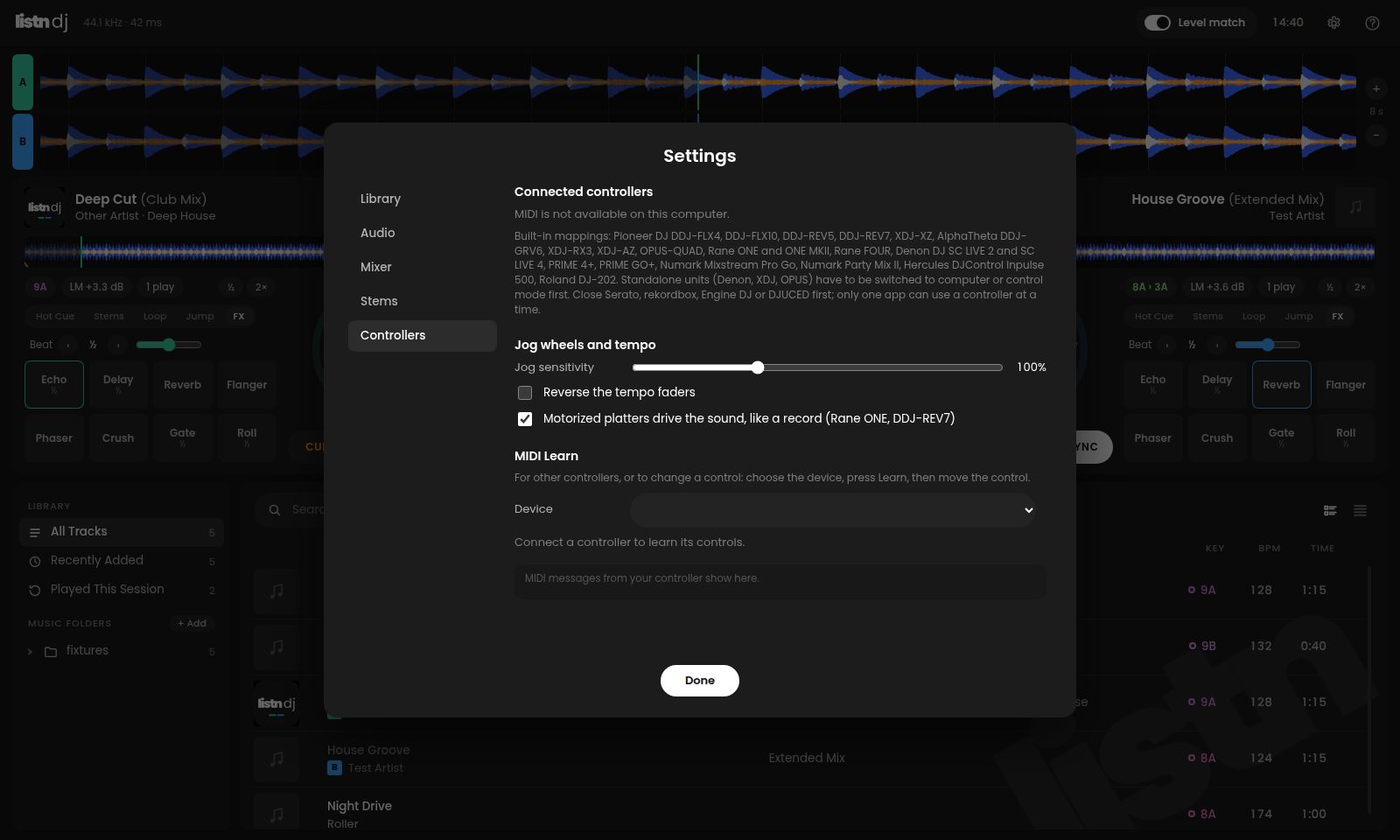
Anything else: MIDI Learn. Choose the device, press Learn, move the control.
units that mix in hardware take each deck on its own outputs, and their EQ, faders and cue do the work
the deck follows the platter like a record. Hold it and the sound stops
deck 3 works deck A, deck 4 works deck B
switch the unit to computer or control mode first
pads, buttons and level meters follow the app
Most work with Windows' own driver. The Numark Party Mix II needs Numark's driver, the Roland DJ-202 wants Roland's, and Pioneer's bigger units (FLX10, REV5, REV7, XDJ) need Pioneer's.
No. Windows lets one app use a controller at a time, so close Serato, rekordbox, Engine DJ or DJUCED first.
Windows sometimes sets a controller to plain stereo. Open Windows Sound settings, find the controller, choose Configure and set it to Quadraphonic. The app says so when it spots it.
Use MIDI Learn, and tell us which one you have and we will add it.