
Crates and smart crates
Build crates by hand, or write a rule like bpm > 120 and genre contains house and let the crate fill itself.

Listn DJ Pro
Everything in Listn DJ, plus four decks, Key Lock and your Listn Cloud library right in the app — play it, take it to the gig, upload to it and fix its track details.
Listn DJ Pro comes with the DJ plan on Listn Cloud.
Get the DJ plan Download Listn DJ Pro
Windows and Mac. Installs beside the free Listn DJ.
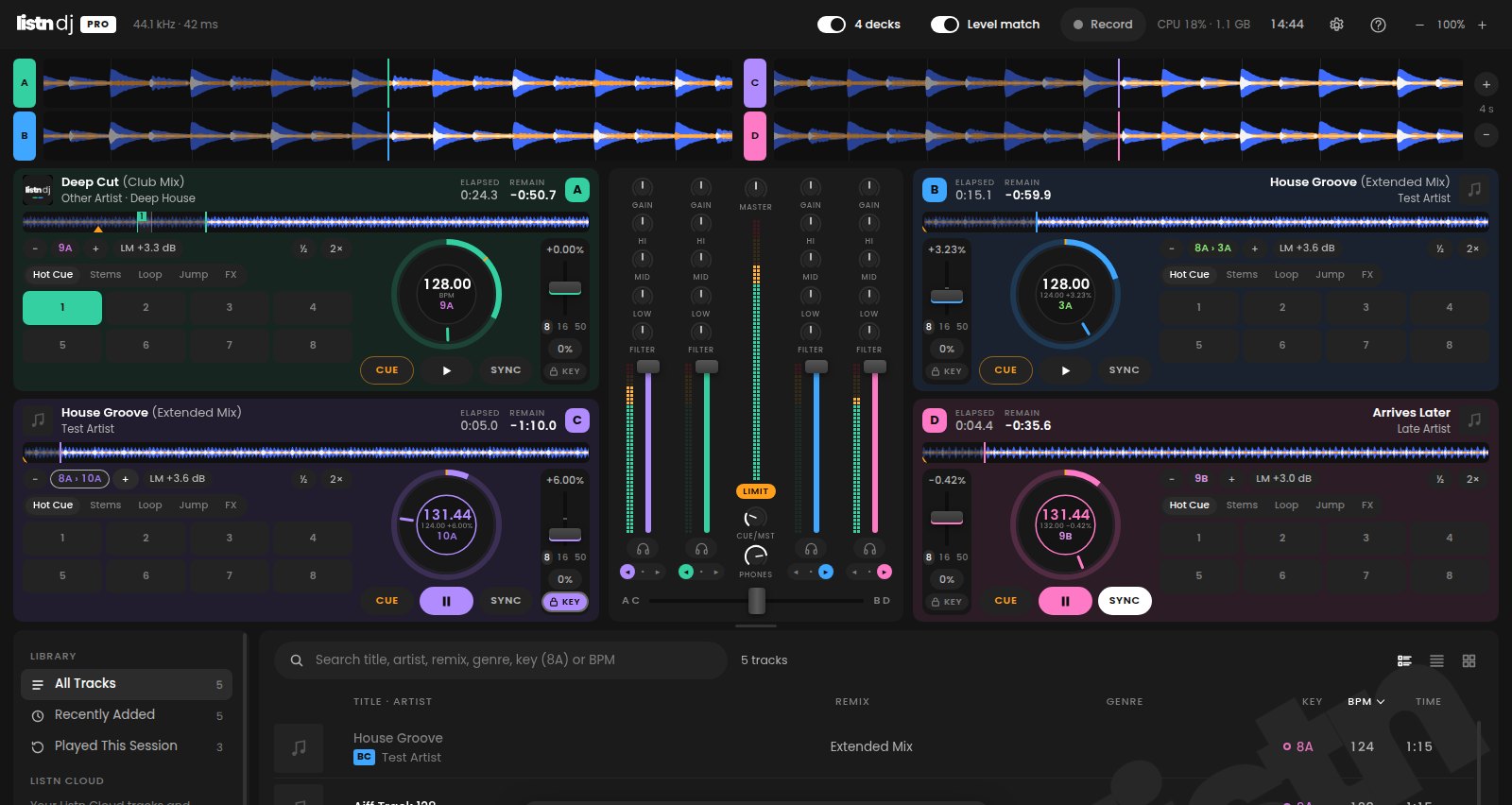
Four decks
One switch in the top bar adds decks C and D and turns the mixer into four channels. The waveforms sit two to a side, so your library keeps its room. Switch back and the app looks exactly as it did.
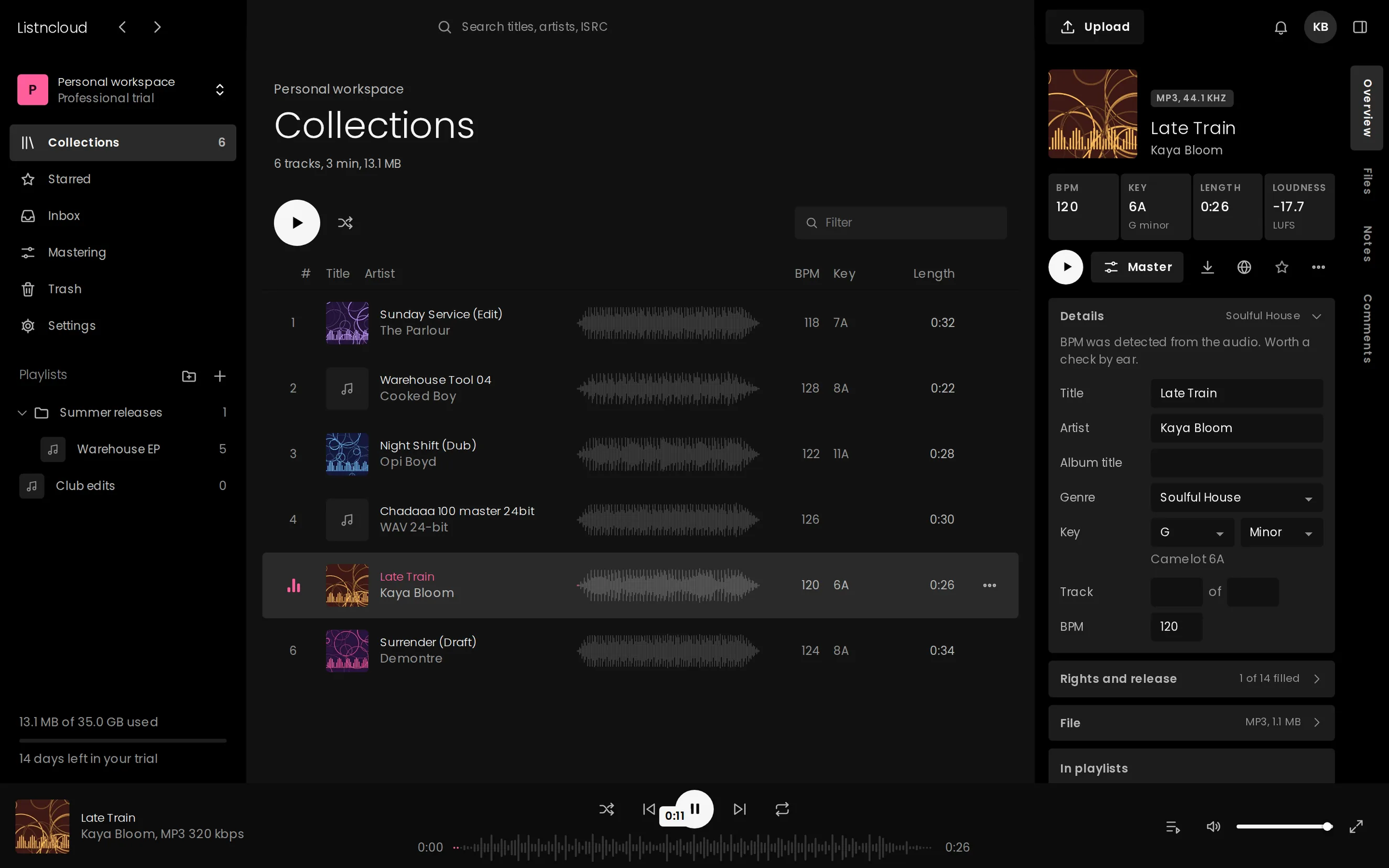
Listn Cloud
Sign in and your Listn Cloud tracks and playlists appear above your music folders, with the BPM, key and artwork Listn Cloud already has. Load one on a deck and it downloads on the spot, then it is analyzed and remembered like any other track.
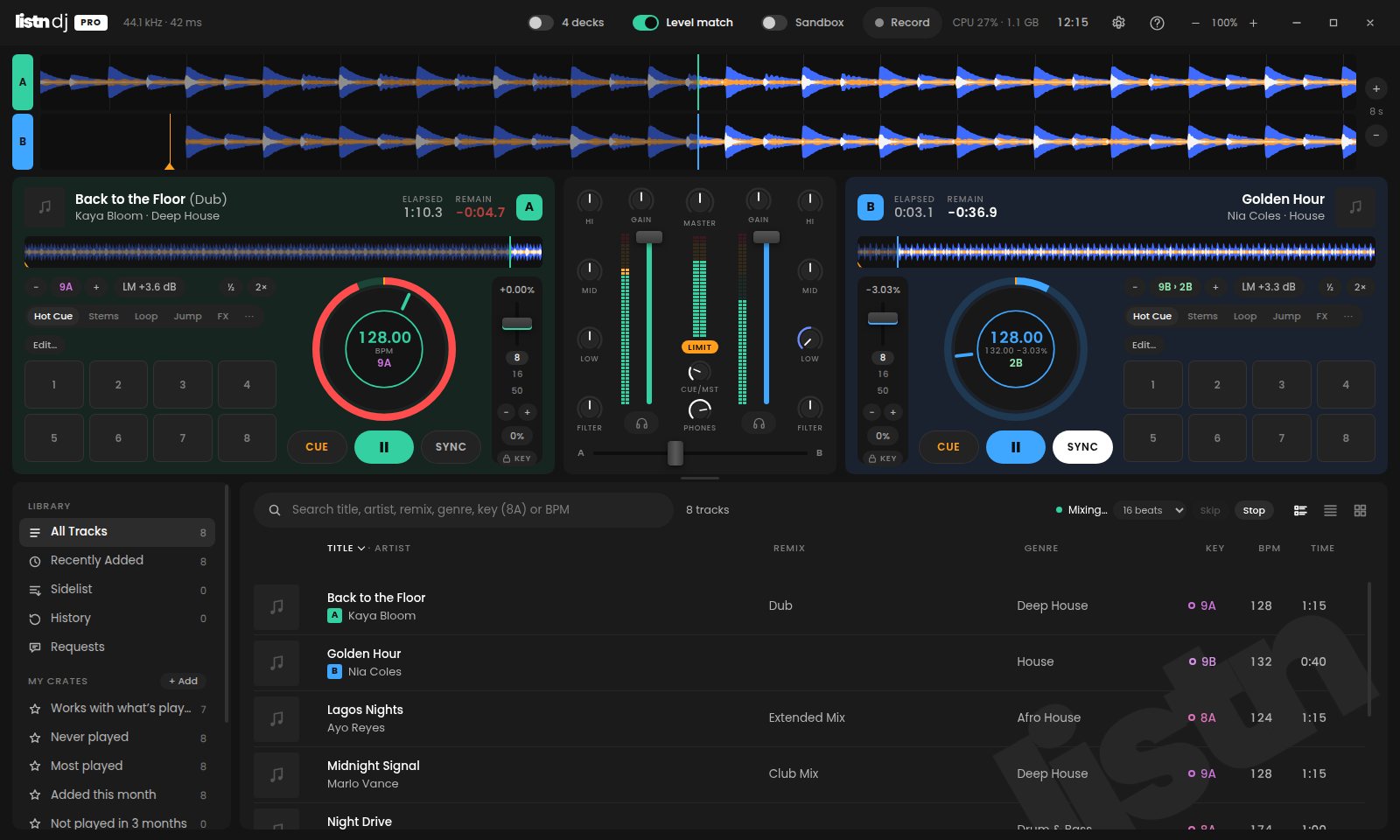
Automix
Pick a crate, a playlist or a search, choose where to start and press Automix. Listn DJ Pro mixes each track into the next on decks A and B, on the beat.
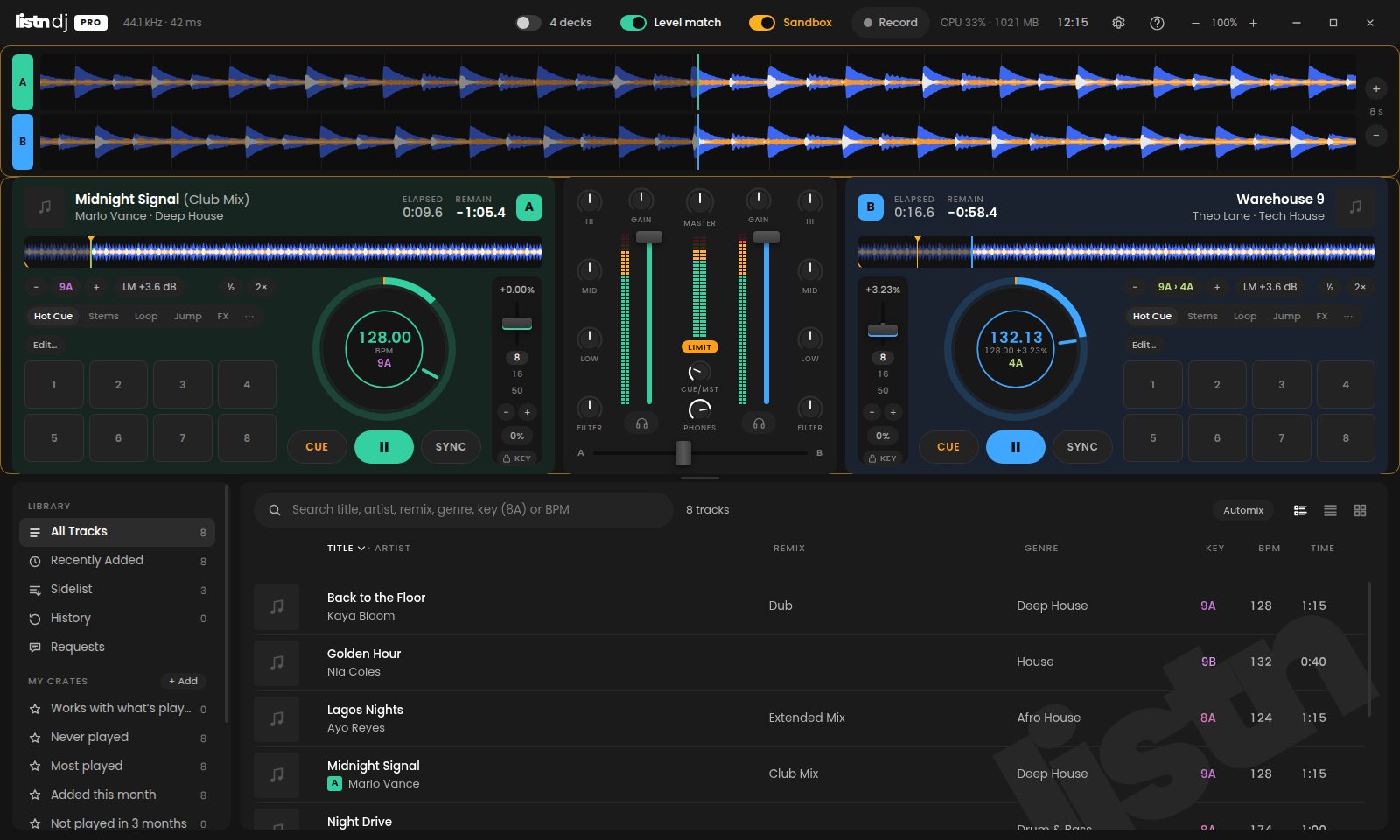
Sandbox
Flip the Sandbox switch and the room keeps hearing the mix that is on. Everything you do after that happens in your headphones only: load a track, jump around, loop, move the EQ, try the blend.
Stems
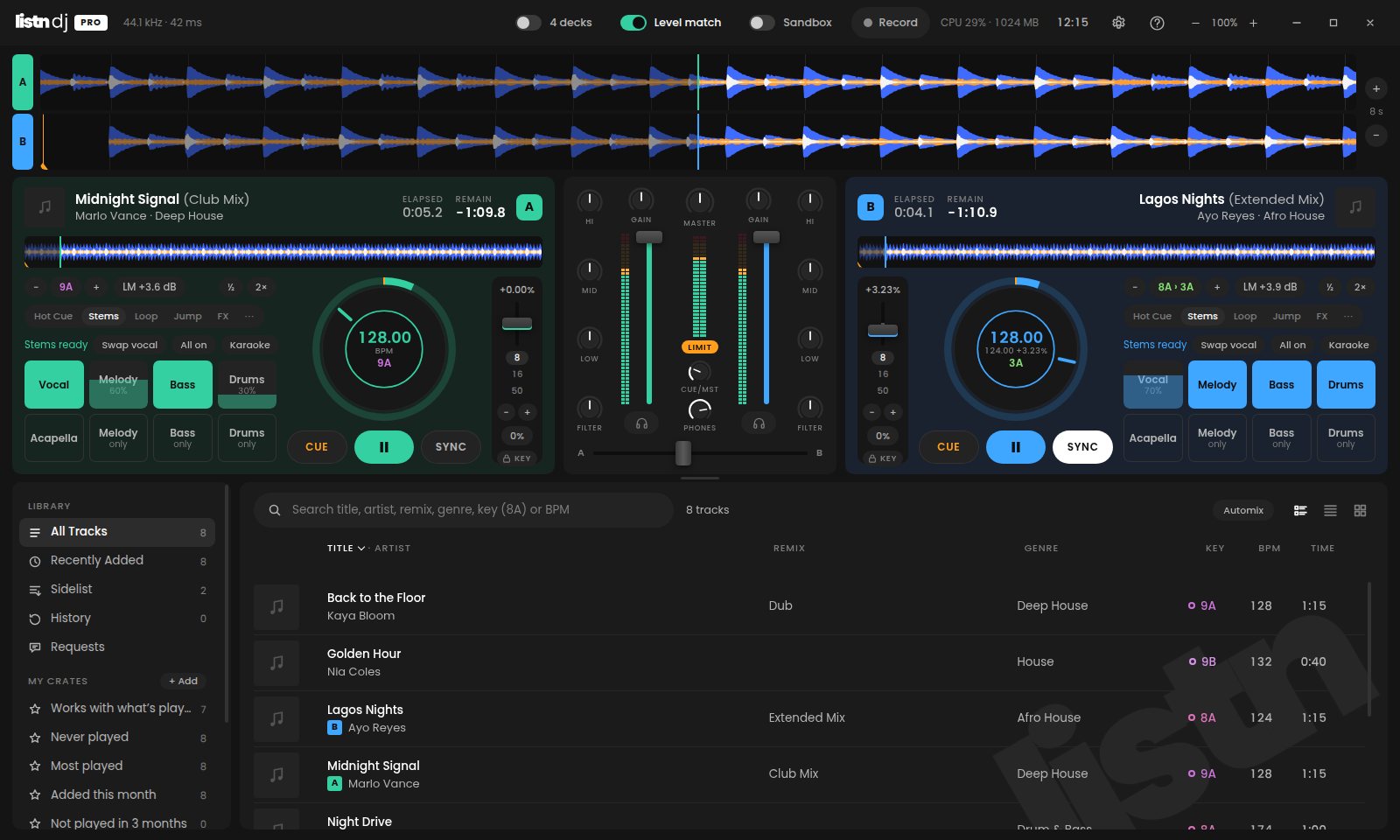
Vocals, melody, bass and drums each have a level now, not just on and off. Scroll a stem pad to set it, or put it on a knob of your controller.
Cues and Track Cleaner
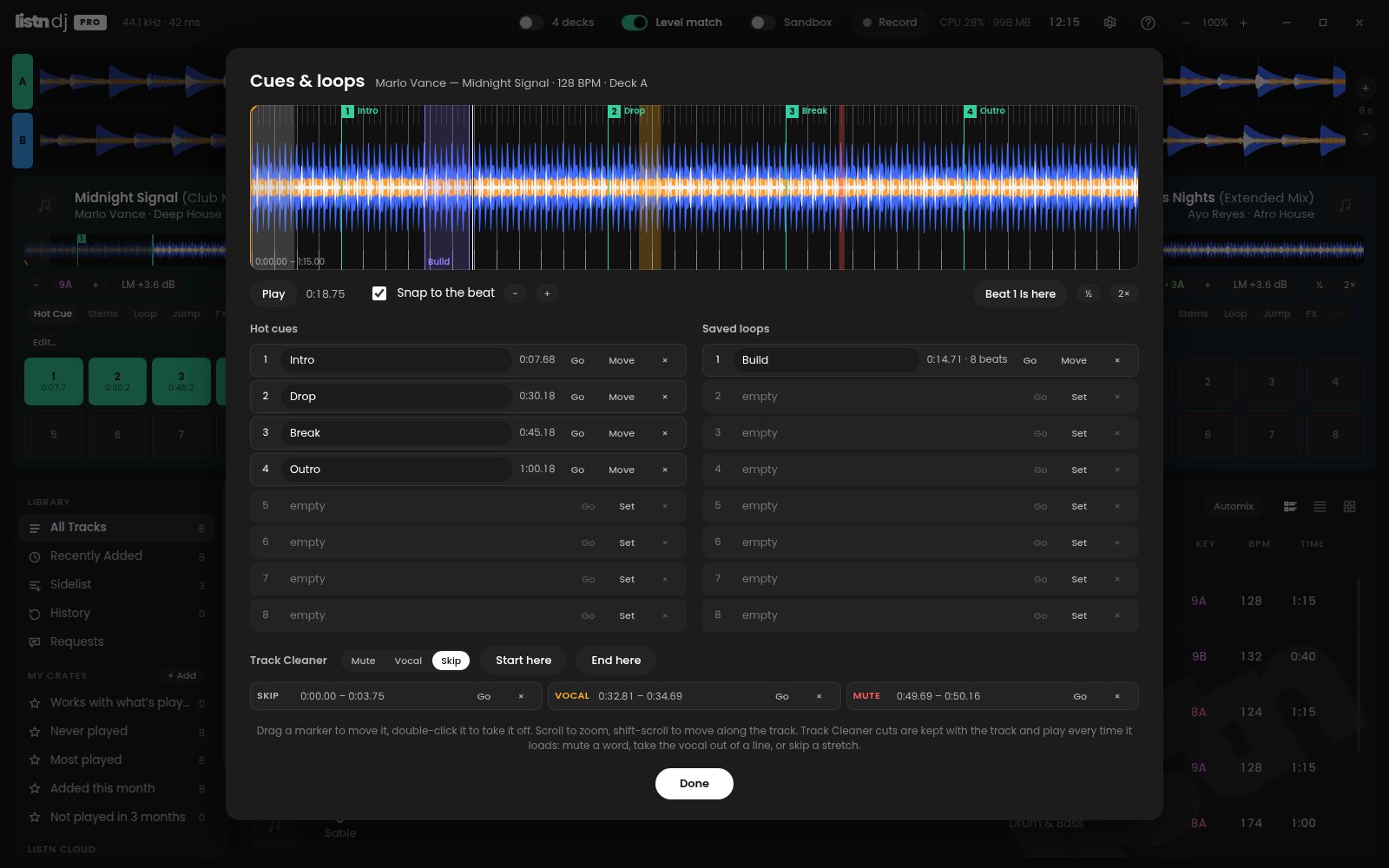
The cue editor holds everything marked on a track in one window: the cue point, eight named hot cues and eight saved loops, over the waveform and its beat grid. Drag a marker to move it, and hear every change on the deck as you make it.
Sampler
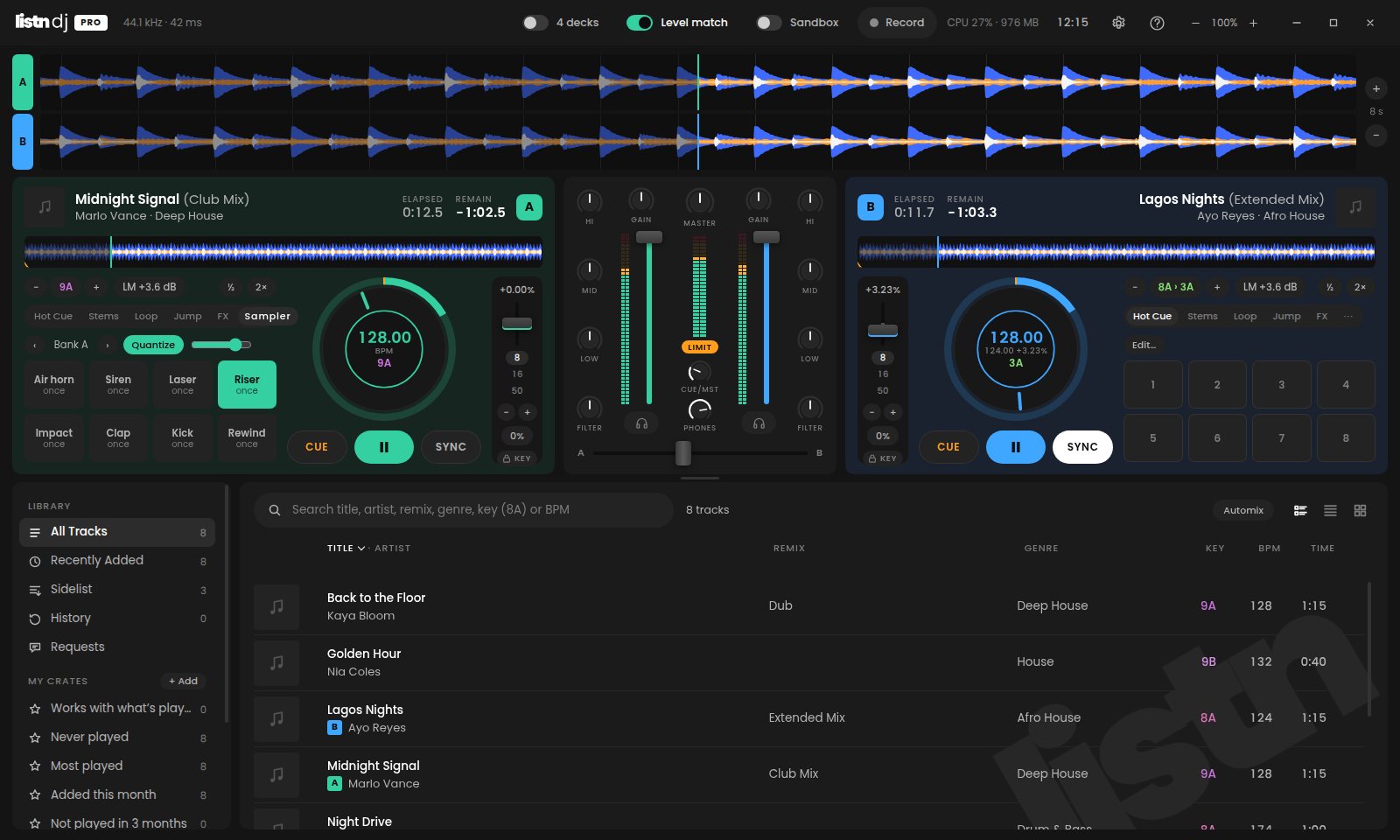
The Sampler is a pad page of its own. Bank A comes loaded with an air horn, siren, laser, riser, impact, clap, kick and rewind, and any pad can take your own sound.
Karaoke
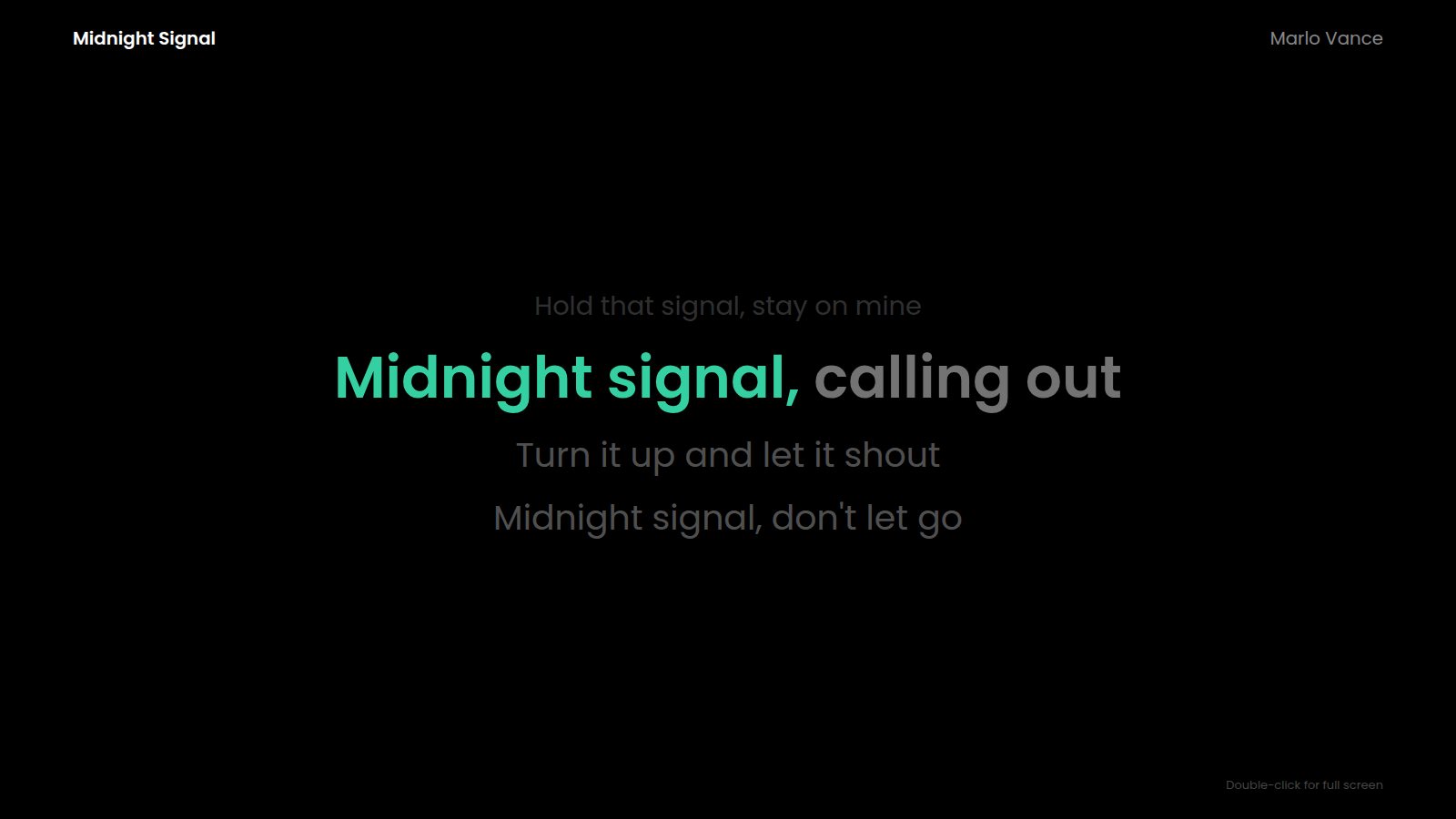
One press takes the vocal out and puts the lyrics up in a window of their own. Drag it to a second screen or a projector and double-click for full screen.
Ask the DJ
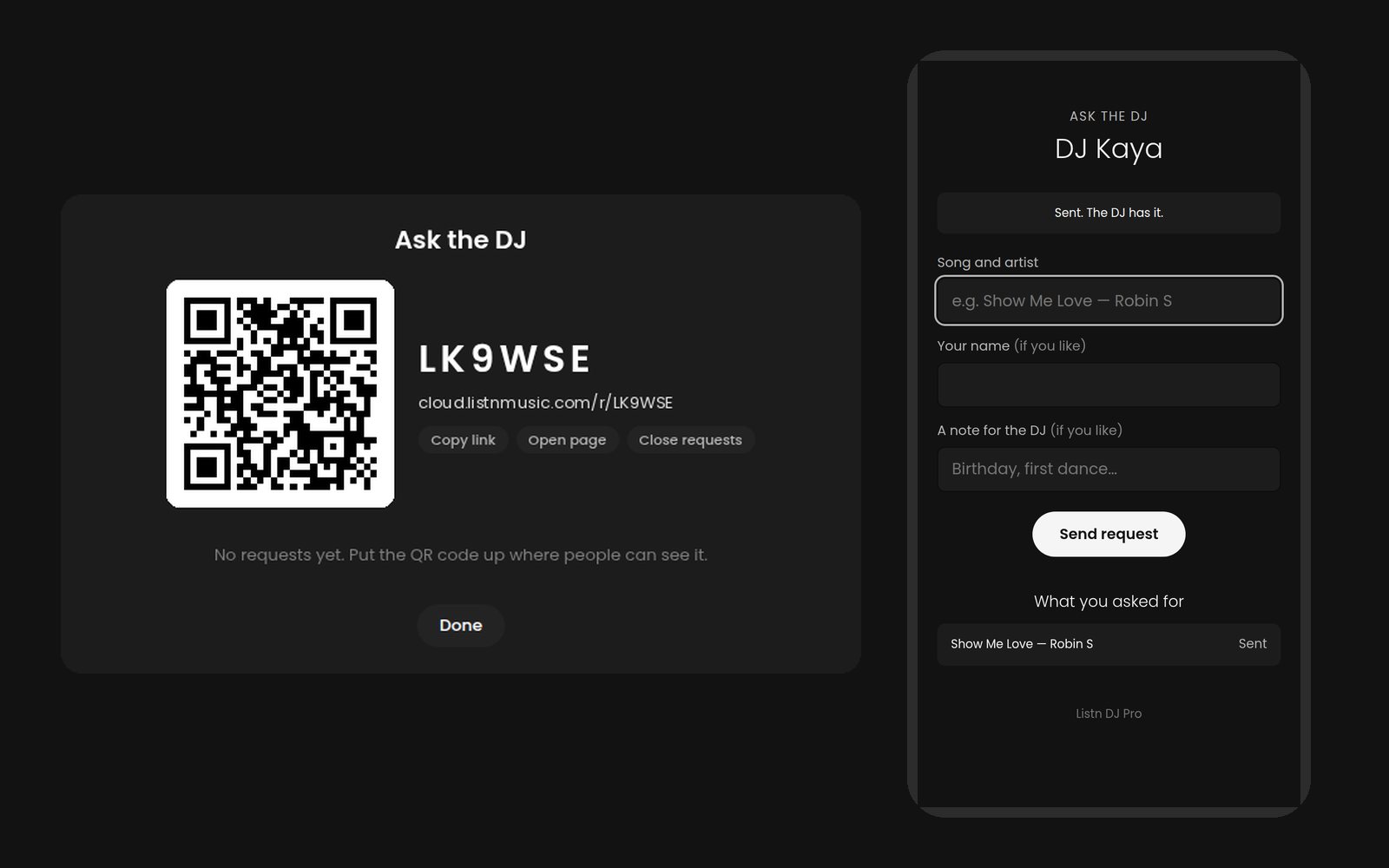
Open requests and Listn DJ Pro shows a code and a QR code to put up or read out. People scan it, type a song, and it lands in the app. There is no app for them to install and no account to make.
Record and broadcast
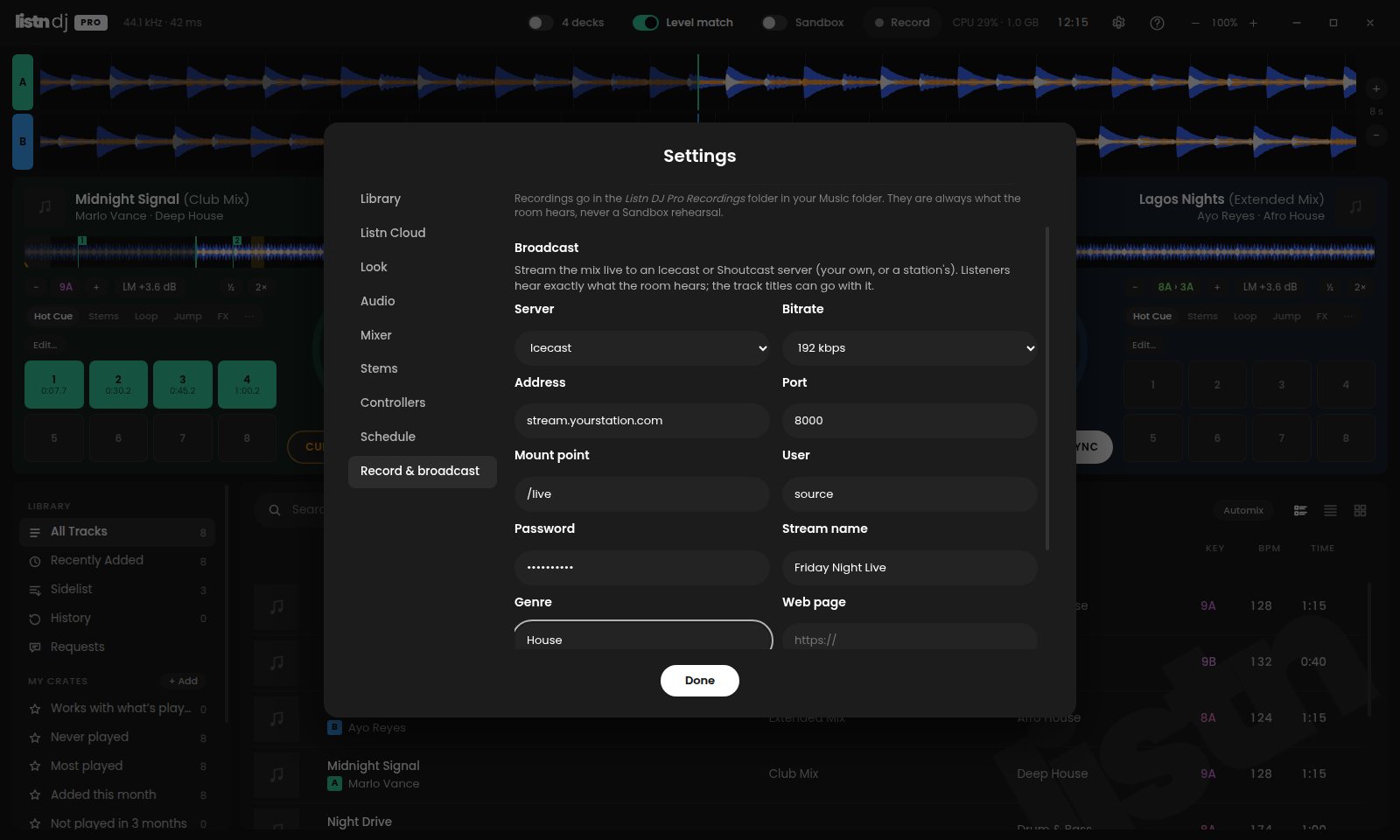
Stream your mix live to an Icecast or Shoutcast server, your own or a station's, and record it at the same time. Listeners hear exactly what the room hears.
Event Scheduler
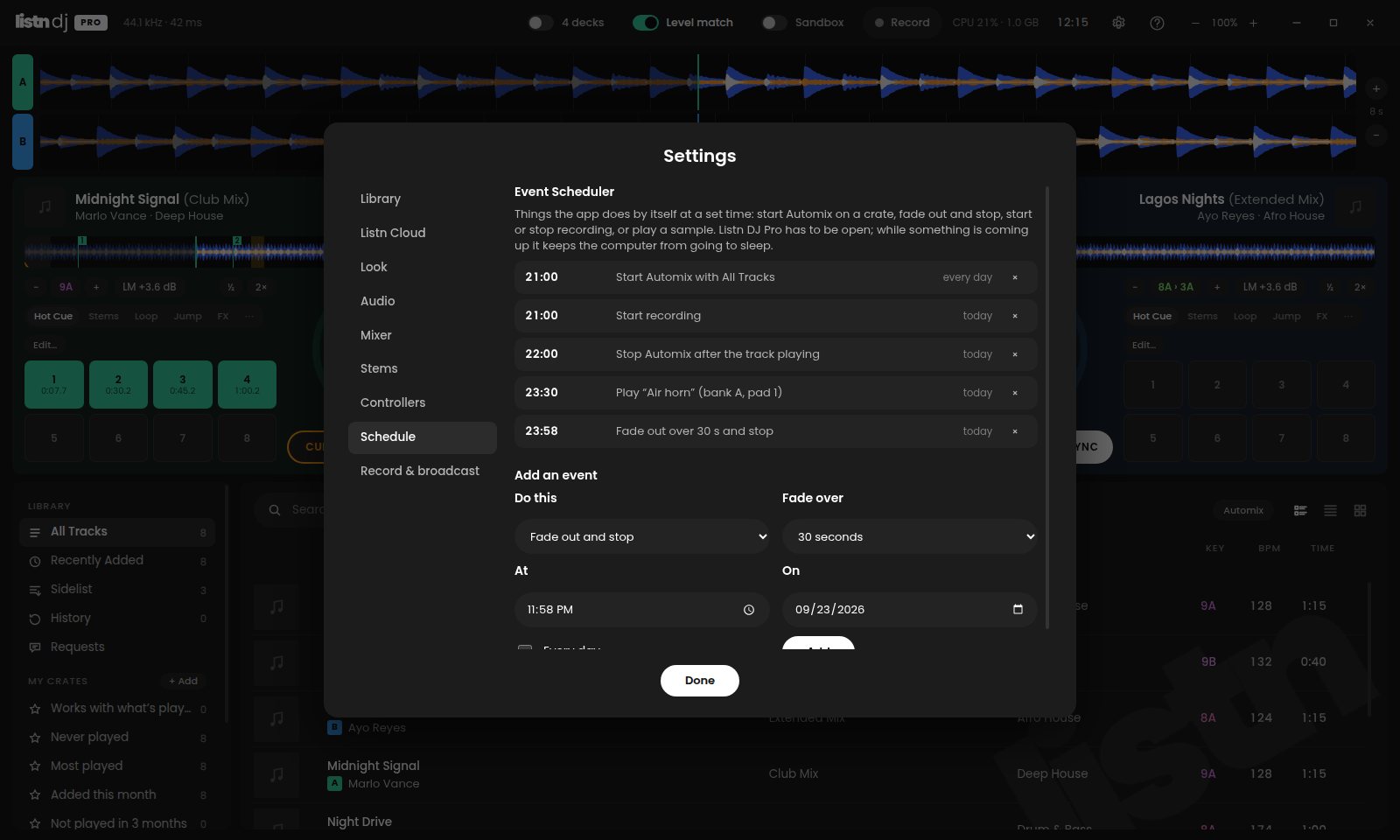
Tell Listn DJ Pro what to do and when, once or every day. Start Automix on a crate for the warm-up, start the recording, play a jingle, and fade out and stop at closing time.
Get music
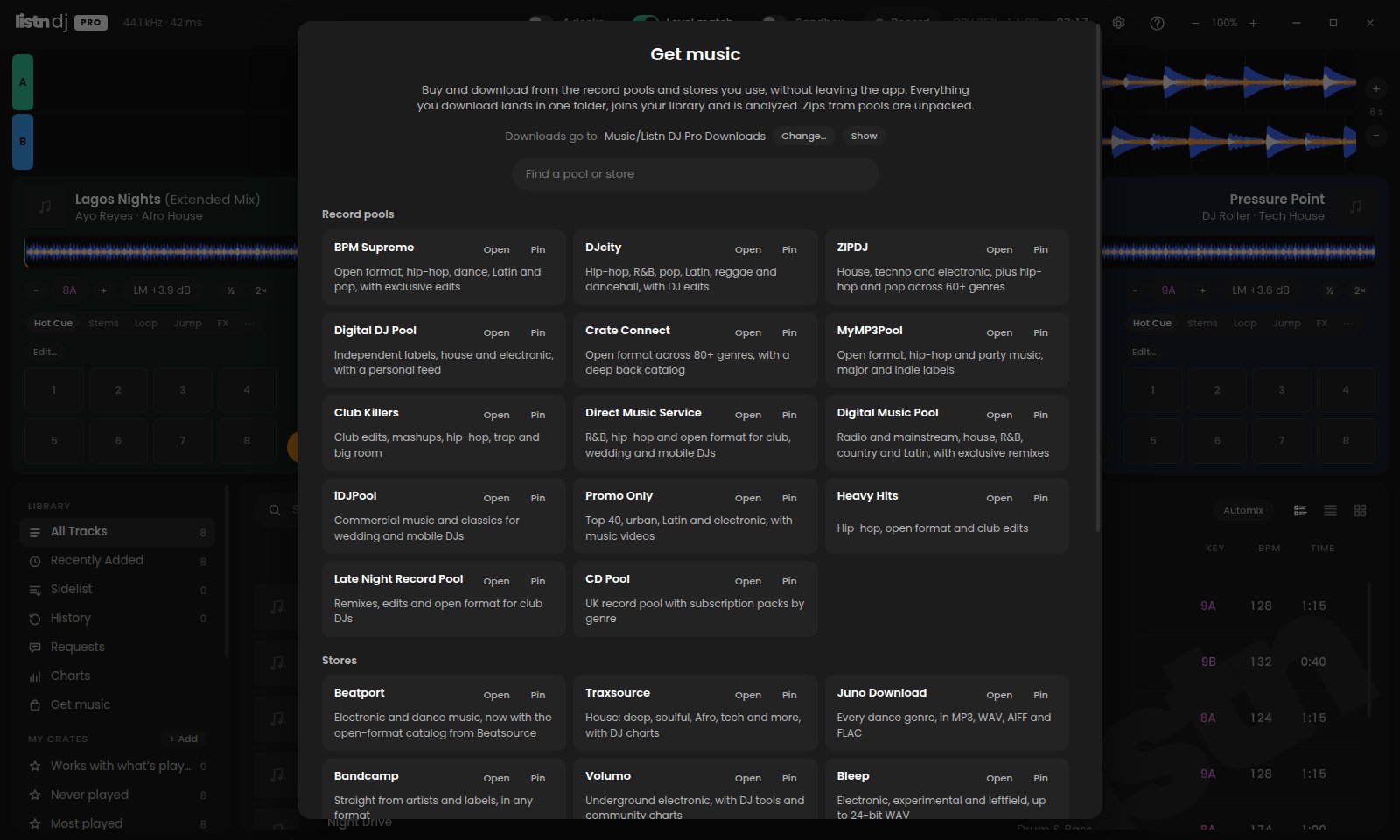
Open BPM Supreme, DJcity, ZIPDJ, Beatport, Traxsource, Bandcamp and more in a window of their own, signed in the way you always are. Everything you download there lands in one folder, joins your library and is analyzed by itself.
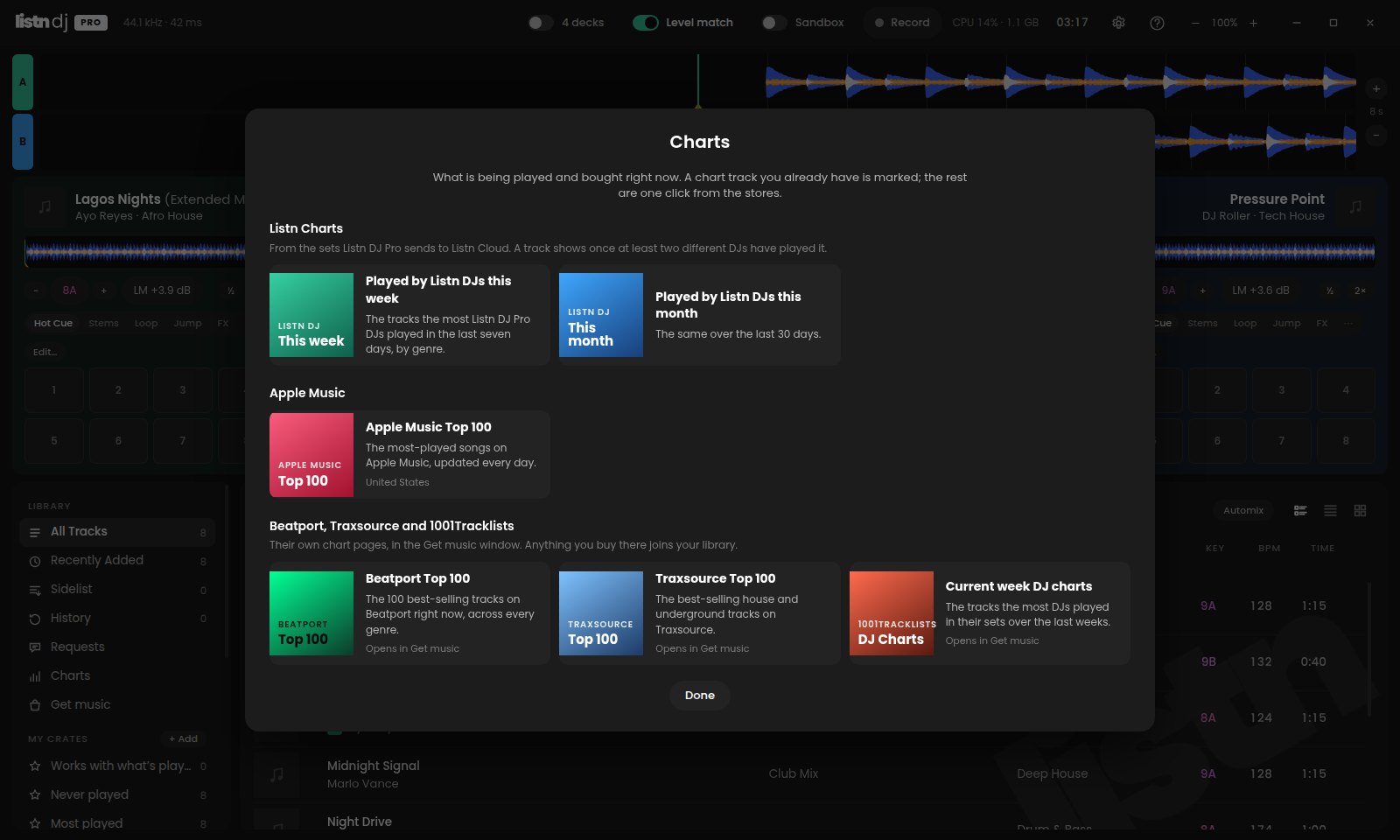
Charts
Listn Charts show the tracks Listn DJ Pro DJs play most this week or this month, by genre. The Apple Music Top 100 sits beside them, with the Beatport, Traxsource and 1001Tracklists charts one click away.
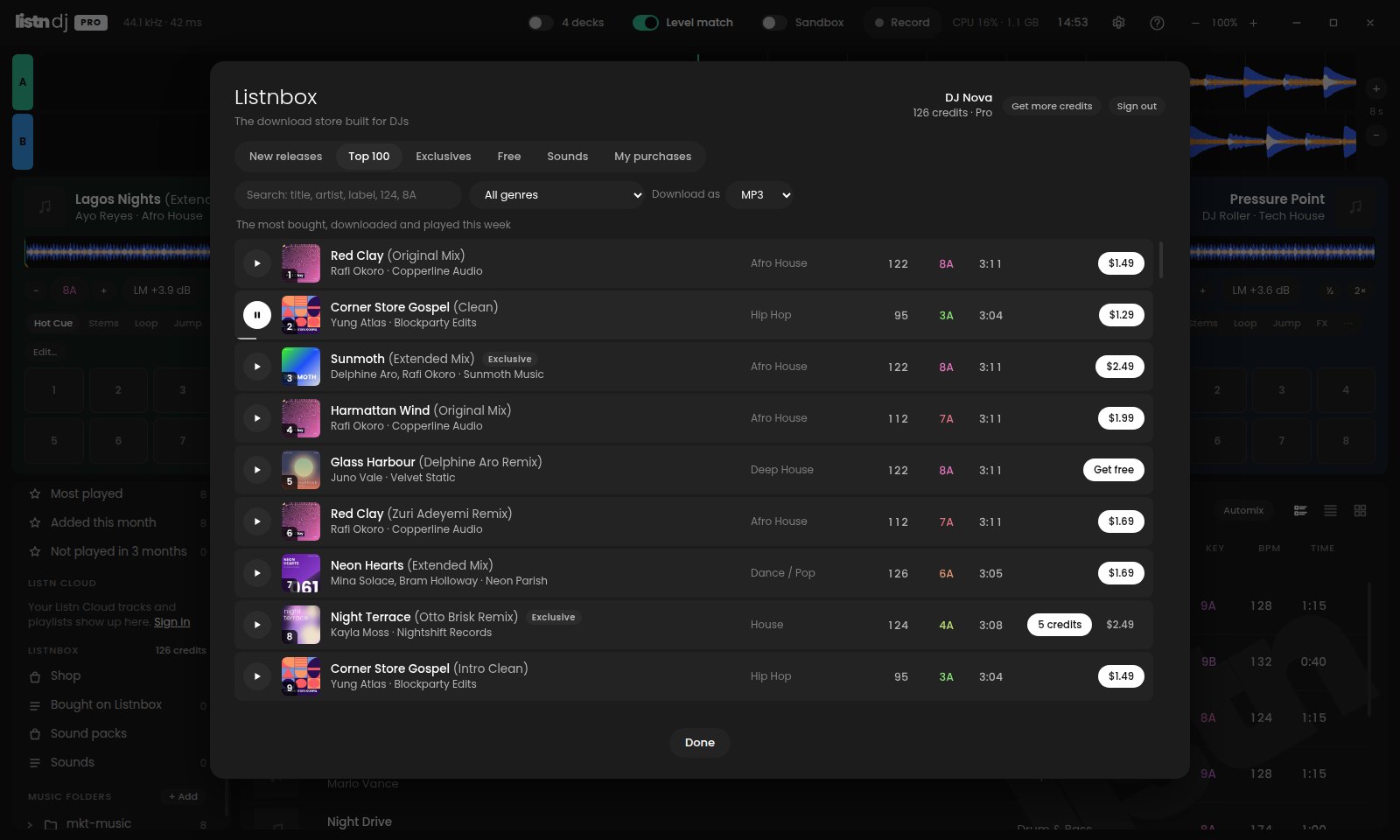
Listnbox
Listnbox, the Listn Music download store, is built in. Sign in with your Listnbox account, browse new releases, the Top 100, exclusives and free tracks, and hear a preview in your headphones without touching the mix.
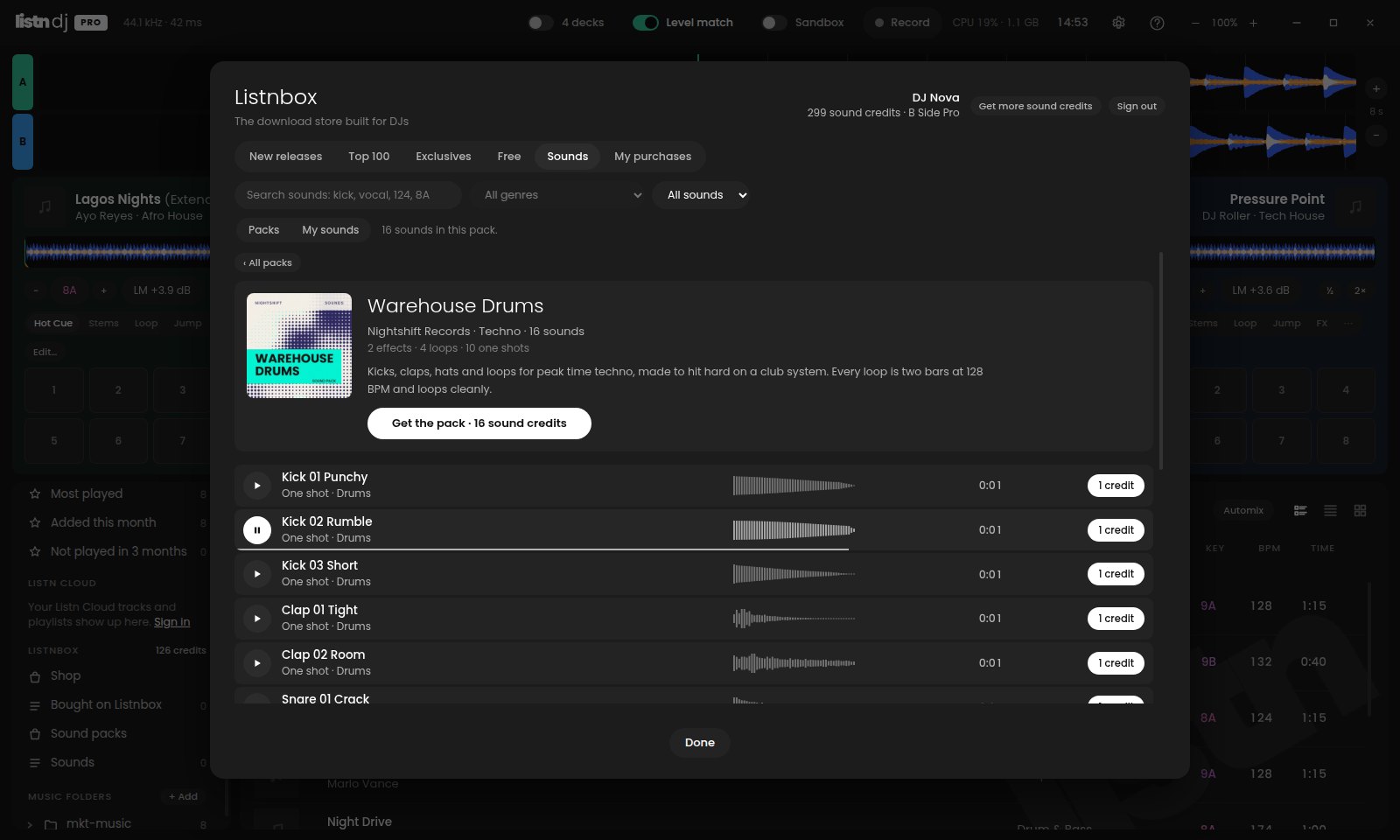
Sound packs
The Sounds tab in Listnbox brings its sound packs into the app: loops, one shots and effects from the labels and producers on Listnbox. Hear any sound in your headphones, get one sound or the whole pack with your sound credits, and it lands in your library, a folder per pack.
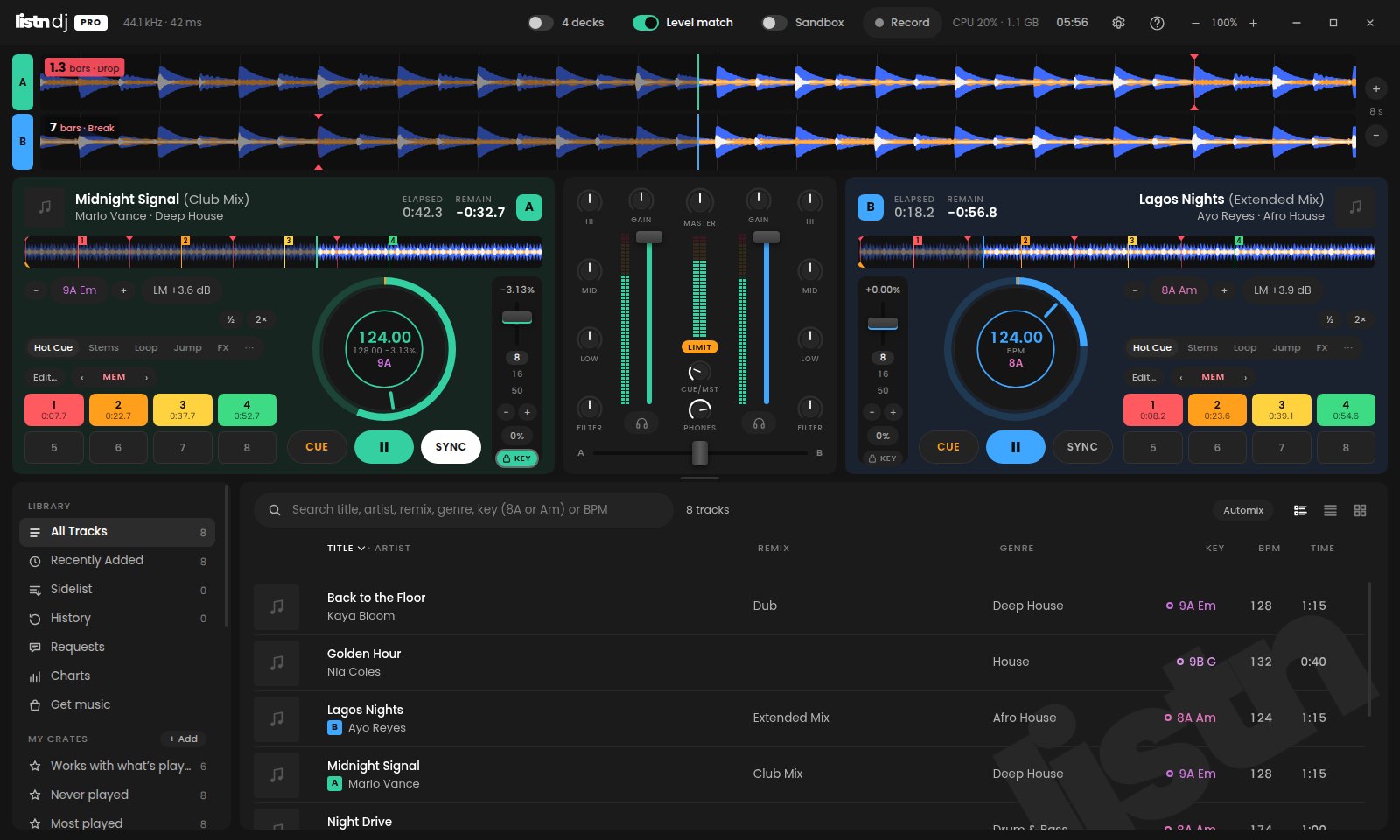
Cues and beat counter
Mark the intro, the break and the drop as memory cues without using up a pad, and every deck counts the bars down to the next one, right on its waveform. New tracks come in with a cue on the first beat, ready to go.
Build crates by hand, or write a rule like bpm > 120 and genre contains house and let the crate fill itself.
A smart crate that lists what mixes with the deck on air: close in BPM, with a key that works.
Tracks you load but don't play are set aside for later, and you can drag in anything you want within reach.
Every play is kept and grouped into sets, and any set can be saved as a crate.
What you play goes up to your Listn Cloud account as a set, ready to rename, tidy up or share with a link.
Roll, Slicer, Cue Loop and Saved Loops, on the controllers that have those buttons.
Sandbox, Automix, stem levels, StemSwap, Karaoke and every pad page can go on any controller.
No frame and no menu bar. The app's own top row is the title bar.
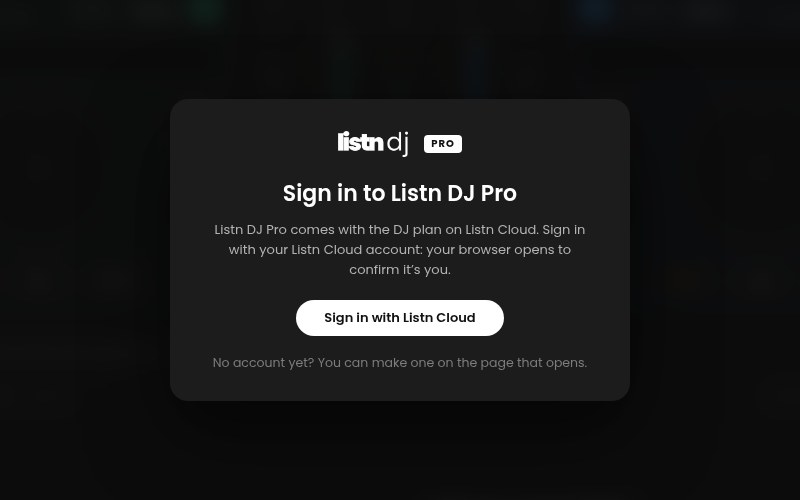
Signing in
Your password never goes into the app. You confirm it is you on Listn Cloud's own page, in your browser.
The first time Listn DJ Pro opens, it is the only button. Your web browser opens.
Pick the workspace to use and click Allow. No account yet? Make one on the same page.
It is already open and ready. Not on the DJ plan yet? Choose it in Listn Cloud and the app checks again by itself.
Listn DJ stays free. Pro adds four decks, Listn Cloud and everything below.
| Feature | Listn DJ | Listn DJ Pro |
|---|---|---|
| Two decks, mixer and waveforms | ||
| Stems: vocals, melody, bass and drums | ||
| Hot cues, loops, beat jump and effects | ||
| Level match | ||
| Record your mix | ||
| Built-in controller support and MIDI Learn | ||
| Four decks and a four-channel mixer | — | |
| Key Lock and key shift | — | |
| Your Listn Cloud library and playlists | — | |
| Upload to Listn Cloud | — | |
| Edit track info, kept in step with Listn Cloud | — | |
| Automix | — | |
| Sandbox | — | |
| Stem levels and StemSwap | — | |
| Cue editor with named cues and saved loops | — | |
| Track Cleaner | — | |
| Sampler | — | |
| Instant karaoke with lyrics | — | |
| Ask the DJ song requests | — | |
| Live broadcast to Icecast and Shoutcast | — | |
| MP3 recording | — | |
| Event Scheduler | — | |
| Crates, smart crates, sidelist and history | — | |
| Sets in Listn Cloud | — | |
| Get music: record pools and stores in the app | — | |
| Charts: Listn Charts and the Apple Music Top 100 | — | |
| Memory cues and a beat counter | — | |
| Hot cue colours | — | |
| Precise beat grids | — | |
| Price | Free | With the DJ plan |
Stems on a Mac need Apple silicon (M1 or newer).
Listn Cloud · DJ plan
$19.99 a month
Listn DJ Pro, and a Listn Cloud library of your own to play from.
Paid through your Listn Cloud account.
It asks you to sign in with Listn Cloud the first time it opens.
Recommended for this computer
Windows 10 or 11, 64-bit
The installer is not signed yet. Click More info, then Run anyway.
Recommended for this computer
macOS 13 Ventura or newer
Open the Apple menu and choose About This Mac. If it says Chip: Apple M1 (or M2, M3, M4…), take Apple silicon. If it says Processor: Intel, take Intel. Stems need Apple silicon; everything else works on both.
Drag Listn DJ Pro into Applications and open it. When macOS says it could not verify the app, click Done, then open System Settings → Privacy & Security, scroll down and click Open Anyway. You only do this once.
Installs beside the free Listn DJ. The first time it opens, it brings your library, cue points and settings across.
619bee56b72ae8959c52bd0fba3e115ddf2ac81b0ac559d4dcbb7a3aefce11c416dab4b8b22ae3b68bf3b88d3cf5875413189032e1945812fe85272cd52ddd5604f8eceb19befbab50f10502792deaa6b2d2d419286ea9687908a0eff082cb9fYes. Listn DJ Pro checks your Listn Cloud plan when you sign in, and again at least once every 30 days. Without the plan it opens to a card that takes you to it.
Yes. Listn DJ Pro installs as its own app beside it. The first time it opens it brings your library and settings across, and the free app stays as it is.
No. Tracks you have downloaded play offline, and Listn DJ Pro keeps working for 30 days between check-ins.
Nothing, right then. Listn DJ Pro tells you and carries on until you close it.
No. Your changes are saved in Listn DJ Pro's library and, for cloud tracks, in Listn Cloud. The audio file itself is never rewritten.
No. You sign in on Listn Cloud's own page in your browser. The app gets its own key, kept encrypted on your computer.
In Listn Cloud, open Settings → Account → Listn DJ Pro and click Sign out next to it. Changing your Listn Cloud password signs every computer out.
macOS 13 or newer, on Apple silicon or Intel. Stems need Apple silicon.
No. They scan the QR code or type the link, and send a song from the web page. No app and no account.
You need an Icecast or Shoutcast server to send to: your own, one you rent, or a station's. Listn DJ Pro asks for its address, port and password.
No. The cuts are kept in Listn DJ Pro's library and play every time the track loads. The file itself is never touched.
From an .lrc file with the same name beside the track, the lyrics saved in the file itself, or a lyrics file you load by hand. The vocal comes out through stems.
No. Listn DJ Pro has to be open. While an event is coming up it keeps the computer from going to sleep, and an event it missed is marked missed rather than run late.
Yes. Get music opens the pools' and stores' own sites, so you sign in and subscribe with them as you do now. What you download there joins your library by itself.
Into one folder, Listn DJ Pro Downloads in your Music folder unless you pick another. It becomes one of your music folders, so everything in it is analyzed and ready to play.
A marker on the track that doesn't use one of your eight hot cue pads. Put them on the intro, the break and the drop, and the beat counter on each deck counts down to the next one.
No. A cue on the first beat only goes on tracks that have no cues yet, and one you take away never comes back by itself.
Get the DJ plan, download Listn DJ Pro and sign in.